
Recent posts
#71
Icarus / Re: Icarus 3.1 and Apple Silic...
Last post by Markus Krause - December 14, 2025, 09:07:40 AMPC and Mac are different platforms and got a completely different architecture.
Migrating a song to a another computer with a different architecture is very risky as there are many things that can go wrong.
What can cause issues?
- A plugin is missing and not installed
- A plugin is not available on one platform (e.g. there is no Mac version)
- A plugin is not available on the new platform in the right CPU architecture (e.g. no M1 native version exists)
- The plugins have different version numbers
- A plugin is not available as a format on a platform (e.g. AudioUnits)
- The DAW uses different file formats on the platforms
- The plugins have a different plugin-ID and the DAW can't handle it
- The DAW dropped support for a format on a platform (e.g. Cubase on M1)
What can you do as a workaround?
- Finish the song on your old platform
- Dump the affected audio track before you migrate
- Try another plugin format (e.g. VST2)
- Save the patch and midi data of the affected track separately and then load it on the new platform manually
- Use a different DAW
Migrating a song to a another computer with a different architecture is very risky as there are many things that can go wrong.
What can cause issues?
- A plugin is missing and not installed
- A plugin is not available on one platform (e.g. there is no Mac version)
- A plugin is not available on the new platform in the right CPU architecture (e.g. no M1 native version exists)
- The plugins have different version numbers
- A plugin is not available as a format on a platform (e.g. AudioUnits)
- The DAW uses different file formats on the platforms
- The plugins have a different plugin-ID and the DAW can't handle it
- The DAW dropped support for a format on a platform (e.g. Cubase on M1)
What can you do as a workaround?
- Finish the song on your old platform
- Dump the affected audio track before you migrate
- Try another plugin format (e.g. VST2)
- Save the patch and midi data of the affected track separately and then load it on the new platform manually
- Use a different DAW
#72
Icarus / Migrating vom PC to Mac
Last post by Luis - December 13, 2025, 04:06:41 AMHi there. I transfered a project from my Windows machine to my new MBP m4 and Icarus VST3 format in the project, it says plugin not found. I re-installed the plugin and nothing. I'm using Ableton 12.3. I tried another project and it says the same thing. Any idea? Thanks.
#73
Saurus / Available soon: Saurus 4.1
Last post by Markus Krause - November 28, 2025, 04:56:14 PMAvailable soon: Saurus 4.1
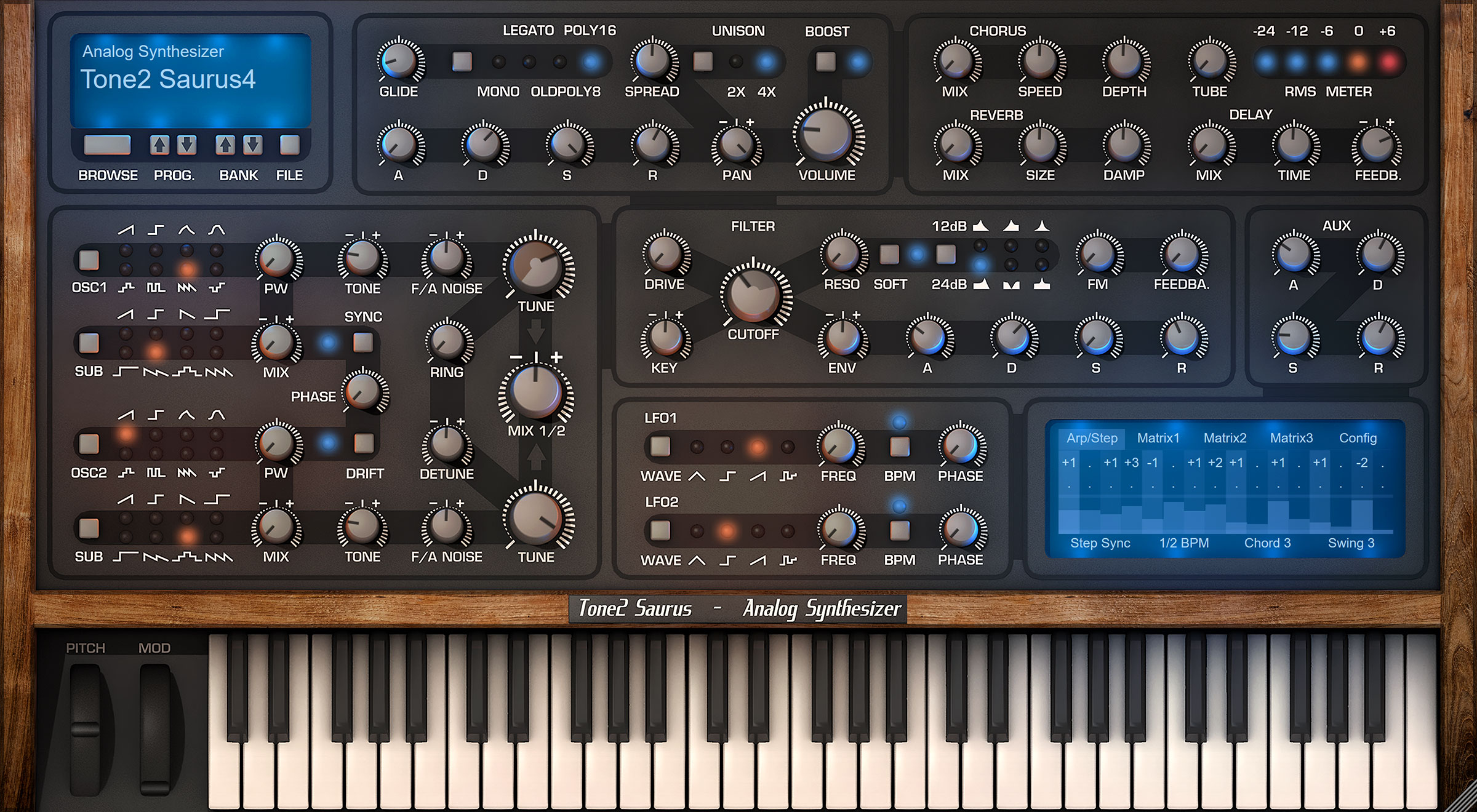
The update is available for PC and Mac. It is free for anyone who owns Saurus.
Enhanced sound quality:
New features:
Further enhancements:
Downward compatibility:
Download link public beta:
https://www.tone2.com/demo/Tone2_Saurus4_demo_PC.zip
https://www.tone2.com/demo/Tone2_Saurus4_demo_Mac.pkg
Saurus product page
https://www.tone2.com/saurus.html
The update is available for PC and Mac. It is free for anyone who owns Saurus.
Enhanced sound quality:
- Significantly enhanced sound quality in 44 kHz. Reduced aliasing up to 12 dB.
- Drastically enhanced sound quality in 88 kHz samplerate. Reduced aliasing up to 20 dB.
- Enhanced sound of the reverb. It has a smoother rolloff, less phasing, more detail and more depth.
- Slightly enhanced sound of the chorus. It has more precise interpolation.
- Slightly enhanced sound of the delay. It has more precise interpolation.
New features:
- It is more easy to see soundsets in the patch browser. They have blue color.
- Template patches have grey color in the patch browser.
- VST3-only installation has been added to the setup on PC.
Further enhancements:
- Enhanced look of the patch browser's scrollbar handle.
- More smart detection of the default installation path.
- Setup always selects full installation as a default.
- Better default values for the init patches.
- Many small improvements.
Downward compatibility:
- Saurus 4.1 is downward compatible with all previous versions. All existing song projects and patches can be loaded without any further steps necessary. They will benefit from the enhanced sound-quality.
Download link public beta:
https://www.tone2.com/demo/Tone2_Saurus4_demo_PC.zip
https://www.tone2.com/demo/Tone2_Saurus4_demo_Mac.pkg
Saurus product page
https://www.tone2.com/saurus.html
#74
Icarus / Re: Icarus 3 and Waveform Pro ...
Last post by MarcH - November 22, 2025, 03:05:19 PMThanks Markus, I discovered that Waveform was sending a program change message from my MIDI input, not in the actual track itself. I was recently working with my hardware synths for the first time in awhile and must have inadvertently set that program change message which explains why the problem did not exist before. So Icarus was the only synth responding to that incoming message. I set the input to send no program change message and the issue is now fixed. Thanks for the support! I'm demoing Nemesis now and will likely add it to my collection as well. 
#75
Icarus / Re: Icarus 3 and Waveform Pro ...
Last post by Markus Krause - November 22, 2025, 08:06:18 AMMaybe there is something wrong in your track and you're acciddently sending Midi program change messages to the plugin.
Most other plugins to not support Midi program changes so you might not experience it here.
Starting a new track in your DAW will solve this.
If you need further assistance please refer to support[ at]tone2[do t]com. We will take care of you.
Most other plugins to not support Midi program changes so you might not experience it here.
Starting a new track in your DAW will solve this.
If you need further assistance please refer to support[ at]tone2[do t]com. We will take care of you.
#76
Icarus / Re: Icarus 3 and Waveform Pro ...
Last post by MarcH - November 21, 2025, 08:08:59 PMThanks Markus, I'll send you a video of the issue in action. The thing is only Icarus has this issue, none of the other synths I own have exhibited this behavior so far.
It seems to have something to do with the Waveform Loop button. When it's off Icarus will perform without issue but when I turn the Loop button on, even if the transport is stopped, Icarus will change patches and I have started with a clean factory template that should have no program changes in it. You'll be able to see it in the video. Notice how the cursor acts when the loop is on. It's one of the weirdest issues I've encountered in 25 years of using plugins and DAWs.
I'll try contacting Tracktion support but they have a history of not responding. I'll also try reinstalling Icarus.
It seems to have something to do with the Waveform Loop button. When it's off Icarus will perform without issue but when I turn the Loop button on, even if the transport is stopped, Icarus will change patches and I have started with a clean factory template that should have no program changes in it. You'll be able to see it in the video. Notice how the cursor acts when the loop is on. It's one of the weirdest issues I've encountered in 25 years of using plugins and DAWs.
I'll try contacting Tracktion support but they have a history of not responding. I'll also try reinstalling Icarus.
#77
Icarus / Re: Icarus 3 and Waveform Pro ...
Last post by Markus Krause - November 21, 2025, 09:18:41 AMHello MarcH,
there are no such issues known from other users. I assume that it is a system specific problem. Maybe something went wrong on your computer.
I recommend restarting your computer. If this does not help reinstall Icarus.
If the problem still presists we recommend to contact the developer of the DAW. You can also send us an email to bugs[ a t]tone2[do t]com
Further info can be found here:
https://www.tone2.com/report-a-bug.html
there are no such issues known from other users. I assume that it is a system specific problem. Maybe something went wrong on your computer.
I recommend restarting your computer. If this does not help reinstall Icarus.
If the problem still presists we recommend to contact the developer of the DAW. You can also send us an email to bugs[ a t]tone2[do t]com
Further info can be found here:
https://www.tone2.com/report-a-bug.html
#78
Icarus / [solved]Accidently sending Mid...
Last post by MarcH - November 20, 2025, 07:09:10 PMDoes anyone else use Waveform Pro as a DAW on Windows 11? I noticed today that Icraus 3 is no longer working properly in WF. When the GUI is open the Windows "spinning circle" showing activity keeps going and it will make no sound. When the GUI is closed it will make sounds.
It seems to have to do with the GUI as if it's not fully loaded or is scanning for wavetables etc.
I've tried both the VST 2 and 3 versions. Icarus always worked fine in WF before and I don't think either it or Icarus were updated recently although there was a recent Win 11 update. Icarus does still work properly in FL Studio.
I wanted to ask here if anyone else has the same issue before opening a support ticket.
It seems to have to do with the GUI as if it's not fully loaded or is scanning for wavetables etc.
I've tried both the VST 2 and 3 versions. Icarus always worked fine in WF before and I don't think either it or Icarus were updated recently although there was a recent Win 11 update. Icarus does still work properly in FL Studio.
I wanted to ask here if anyone else has the same issue before opening a support ticket.
#79
Icarus / Re: Icarus feature requests
Last post by Markus Krause - November 20, 2025, 10:07:36 AMTechnically the random button of our products works exactly the same as an AI patch generator.
It uses a smart statistic approach with weights and propabilities.
Unlike the competition we just do not name it 'artificial intelligence' as we think that this is missleading marketing.
It uses a smart statistic approach with weights and propabilities.
Unlike the competition we just do not name it 'artificial intelligence' as we think that this is missleading marketing.
#80
Icarus / Re: Icarus feature requests
Last post by Burkuagh - November 20, 2025, 09:12:05 AMThanks! I totally missed the arrows next to Osc.
Another question/request. Have you guys been looking into AI for patch generators? Synth XYZ has an AI batch preset creator that lets you guide the kinds of patches you want made like bass, lead, pad, etc.. and you can adjust parameters to make them more or less chaotic or conventional. I use Icarus's random button when I am in the mood for outright experimentation but it is so handy to be able to guide it to the types of patches you want. I would love to see something of this kind in your products.
Another question/request. Have you guys been looking into AI for patch generators? Synth XYZ has an AI batch preset creator that lets you guide the kinds of patches you want made like bass, lead, pad, etc.. and you can adjust parameters to make them more or less chaotic or conventional. I use Icarus's random button when I am in the mood for outright experimentation but it is so handy to be able to guide it to the types of patches you want. I would love to see something of this kind in your products.