
Recent posts
#21
Electra 3 / Typo in a tooltip
Last post by Examigan - April 23, 2026, 12:43:57 AMI just noticed in the latest version (maybe it's been there for a long time?) if you hover the mouse over the 2nd FM knob in the Osc section it shows "OSC34 FM" instead of OSC23 FM. It also shows it that way in the display at the top left.
#22
Announcements & Updates / Nemesis 3.1 released
Last post by Markus Krause - April 01, 2026, 05:10:29 PMNew! Nemesis 3.1
Product page: https://www.tone2.com/nemesis.html
Enhanced sound quality:
New features:
Enhanced graphics:
Further enhancements:
Downward compatibility:
Download links:
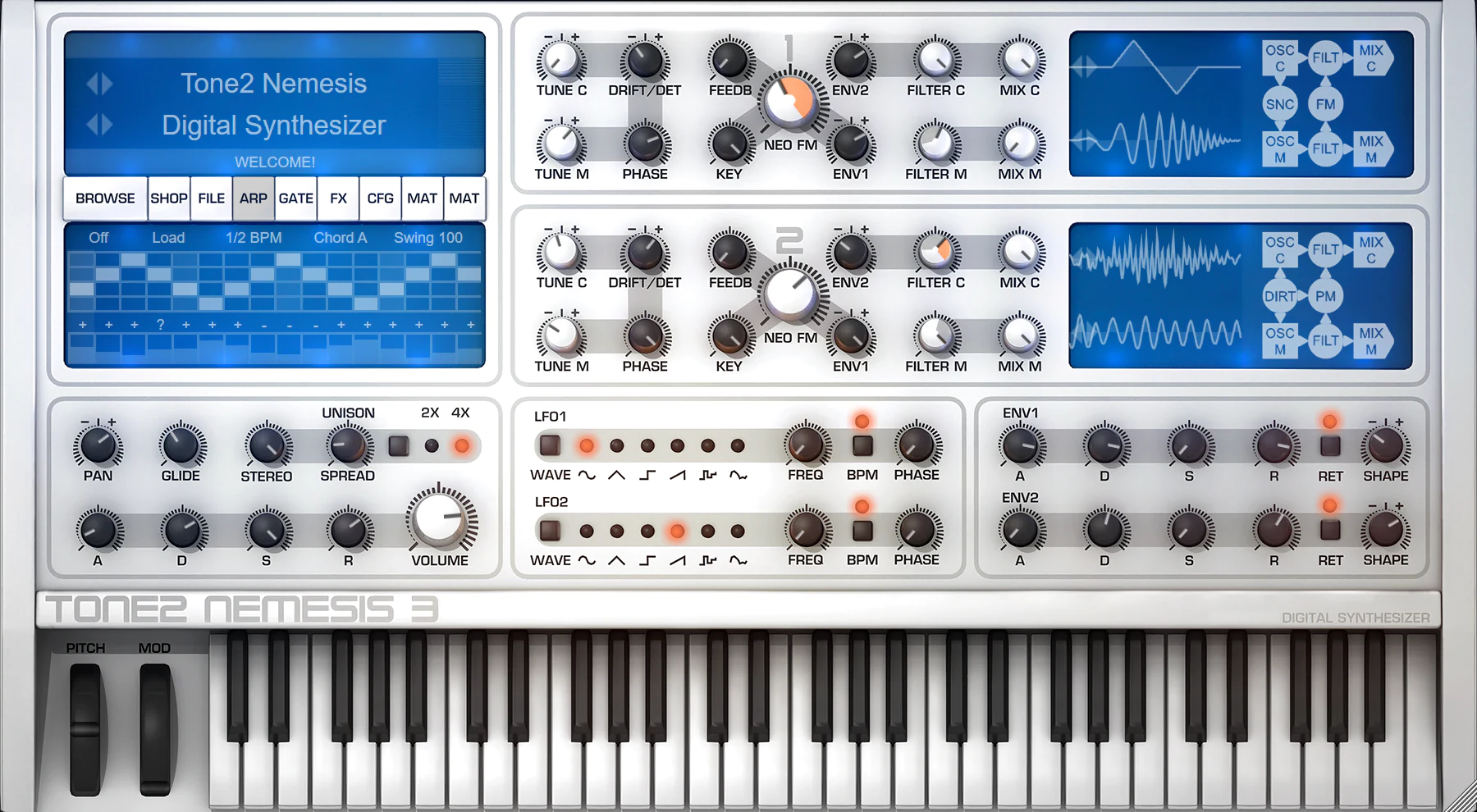
Product page: https://www.tone2.com/nemesis.html
Enhanced sound quality:
- Significantly enhanced sound quality when 44 kHz or 22 kHz is used as the DAW's samplerate. Reduced aliasing up to 12 dB.
- Drastically enhanced sound quality when 88 kHz or 176 kHz is used as the DAW's samplerate. Reduced aliasing up to 20 dB.
- Chords sound better when 'Fat 1' or 'very clean' is used as the mictrotunig mode.
- Enhanced sound of 'Reverb Ultra'. It has better default parameters, a smoother rolloff, less phasing, more detail and more depth.
- Enhanced sound of 'Reverb Big'. It has a smoother rolloff, less phasing, more detail and more depth.
- Enhanced sound of 'Reverb Infinity'. It has a smoother rolloff, less phasing, more detail and more depth.
- Enhanced sound of 'Reverb Plate'. It has a smoother rolloff, less phasing, more detail and more depth.
- Enhanced sound of 'Reverb Trance'. It has a smoother rolloff, less phasing, more detail and more depth.
- Enhanced sound of 'Reverb Glass'. It has a smoother rolloff, less phasing, more detail and more depth.
- Enhanced sound of 'Reverb Large' by using 64bit processing. It has more detail and transparancy.
- Slightly enhanced sound of 'Reverb Medium' and 'Reverb Small'. They have less noise floor and more transparency.
New features:
- It is more easy to see soundsets in the patch browser. They have blue color.
- Template patches have grey color in the patch browser.
Enhanced graphics:
- Reworked the background skin. Diodes and displays have color bleeding.
- The keyboard has softer shadows.
- Reduced noise and glitches.
Further enhancements:
- Better init patch parameters.
- The installer is smarter and VST3 is installed with the default setting.
- Many small enhancements.
Downward compatibility:
- Nemesis 3.1 is downward compatible with all previous versions. Existing song projects and patches can be loaded without any further steps necessary. They will benefit from the enhanced sound-quality.
Download links:
- Free demo download
- Free update: The update free for anyone who owns Nemesis 3. We sent out an email with a download link.
- Upgrade with discount: All Nemesis 1 and 2 owners are able to upgrade to v3.x with a big discount (€39 or $39). Click here to upgrade now!
#23
Nemesis / Nemesis 3.1
Last post by Markus Krause - April 01, 2026, 04:56:23 PMNew! Nemesis 3.1
Product page: https://www.tone2.com/nemesis.html
Enhanced sound quality:
New features:
Enhanced graphics:
Further enhancements:
Downward compatibility:
Download links:
Product page: https://www.tone2.com/nemesis.html
Enhanced sound quality:
- Significantly enhanced sound quality when 44 kHz or 22 kHz is used as the DAW's samplerate. Reduced aliasing up to 12 dB.
- Drastically enhanced sound quality when 88 kHz or 176 kHz is used as the DAW's samplerate. Reduced aliasing up to 20 dB.
- Chords sound better when 'Fat 1' or 'very clean' is used as the mictrotunig mode.
- Enhanced sound of 'Reverb Ultra'. It has better default parameters, a smoother rolloff, less phasing, more detail and more depth.
- Enhanced sound of 'Reverb Big'. It has a smoother rolloff, less phasing, more detail and more depth.
- Enhanced sound of 'Reverb Infinity'. It has a smoother rolloff, less phasing, more detail and more depth.
- Enhanced sound of 'Reverb Plate'. It has a smoother rolloff, less phasing, more detail and more depth.
- Enhanced sound of 'Reverb Trance'. It has a smoother rolloff, less phasing, more detail and more depth.
- Enhanced sound of 'Reverb Glass'. It has a smoother rolloff, less phasing, more detail and more depth.
- Enhanced sound of 'Reverb Large' by using 64bit processing. It has more detail and transparancy.
- Slightly enhanced sound of 'Reverb Medium' and 'Reverb Small'. They have less noise floor and more transparency.
New features:
- It is more easy to see soundsets in the patch browser. They have blue color.
- Template patches have grey color in the patch browser.
Enhanced graphics:
- Reworked the background skin. Diodes and displays have color bleeding.
- The keyboard has softer shadows.
- Reduced noise and glitches.
Further enhancements:
- Better init patch parameters.
- The installer is smarter and VST3 is installed with the default setting.
- Many small enhancements.
Downward compatibility:
- Nemesis 3.1 is downward compatible with all previous versions. Existing song projects and patches can be loaded without any further steps necessary. They will benefit from the enhanced sound-quality.
Download links:
- Free demo download
- Free update: The update free for anyone who owns Nemesis 3. We sent out an email with a download link.
- Upgrade with discount: All Nemesis 1 and 2 owners are able to upgrade to v3.x with a big discount (€39 or $39). Click here to upgrade now!
#24
Icarus / Re: New song with Icarus! With...
Last post by Examigan - March 19, 2026, 02:34:58 PMI will check it out after work today.
Here are some Icarus demos and a few songs you might like using other synth plugins, such as Dark Matter.
I'm a huge Yes and King Crimson fan myself.
https://whyp.it/users/42439/examigan
Here are some Icarus demos and a few songs you might like using other synth plugins, such as Dark Matter.
I'm a huge Yes and King Crimson fan myself.
https://whyp.it/users/42439/examigan
#25
Icarus / Re: More of my Icarus3 presets
Last post by Markus Krause - March 18, 2026, 08:05:14 AMThank you for your great patches!
#26
Icarus / More of my Icarus3 presets
Last post by Examigan - March 17, 2026, 10:05:03 PMHere are some more examples of my presets for Icarus3.
https://whyp.it/tracks/339138/more-of-my-icarus3-presets
https://whyp.it/tracks/339138/more-of-my-icarus3-presets
#27
Icarus / Re: Icarus3 presets I created
Last post by Markus Krause - March 15, 2026, 09:26:36 AMThank you for your great sounds!
#28
Icarus / Icarus3 presets I created
Last post by Examigan - March 14, 2026, 10:07:12 PMhttps://whyp.it/tracks/338982/newest-icarus3-presets
These are a few of the presets I made in the past two weeks for Icarus 3. The 5th preset is a resynthesized version of my Moog Sub Phatty. The last one uses Granular to mess around with a sample I imported into it.
These are a few of the presets I made in the past two weeks for Icarus 3. The 5th preset is a resynthesized version of my Moog Sub Phatty. The last one uses Granular to mess around with a sample I imported into it.
#29
Icarus / Re: 3.2.1 patch.. just wanted ...
Last post by Markus Krause - March 07, 2026, 06:51:59 AMThank you for the nice words!
#30
Icarus / 3.2.1 patch.. just wanted to s...
Last post by Burkuagh - March 07, 2026, 04:51:10 AMThank you! Amazing patch!!! I love LOVE the new filters! Icarus is one of the most powerful and versatile synths I have ever gotten my hands on. It is the reason that my sunsyn, se1x, virusc, and jp8000 are collecting so much dust!