
Recent posts
#41
Icarus / Icarus 3.2 released
Last post by Markus Krause - March 05, 2026, 11:56:03 AMWhat is Icarus?
Icarus is one of the most powerful synthesizers available on the market. The award-winning audio-engine provides a gigantic sonic range, offers true high-end sound quality and creates sounds impossible with other synths. Icarus ships with over 2000 hand-picked patches from professional designers.
Product page:
https://www.tone2.com/icarus.html
Upgrade:
https://www.tone2.com/icarus-update.html
Free demo download:
https://www.tone2.com/download.html
Overview video:
https://www.youtube.com/watch?v=vg0TITwsWXU
Icarus3 synthesis:
https://www.youtube.com/watch?v=nts-_qYJlio
Icarus3 filters:
https://www.youtube.com/watch?v=oqyXpEBdGe8
Factory sounds:
https://www.youtube.com/watch?v=rrpOEpOpfSE
What's new in v3.2?
New filters:
New effects:
New additive synthesis modes:
New features - GUI:
New feature - XY-pad for the waveform display:
Enhanced sound quality:
Further enhancements:
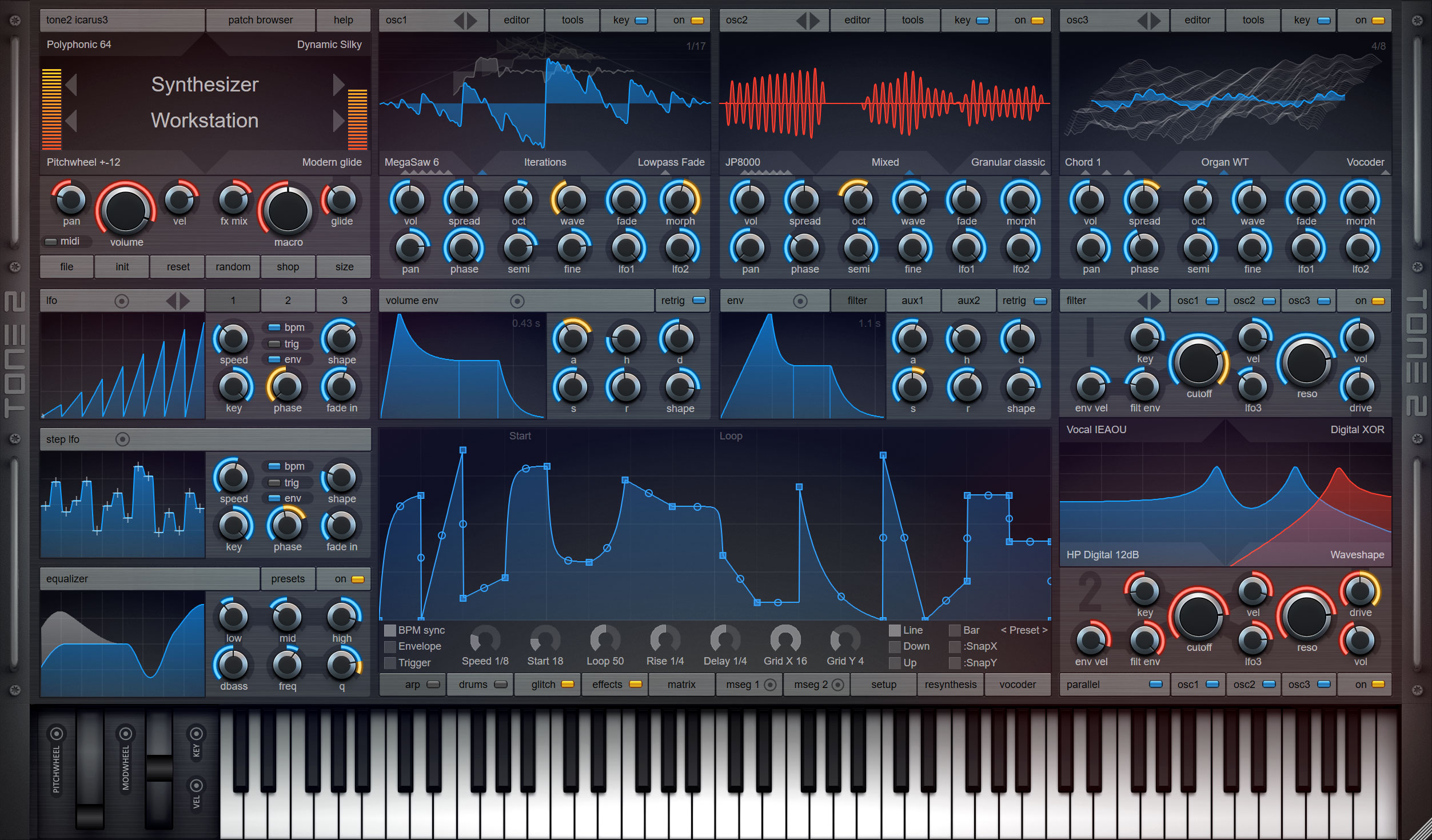
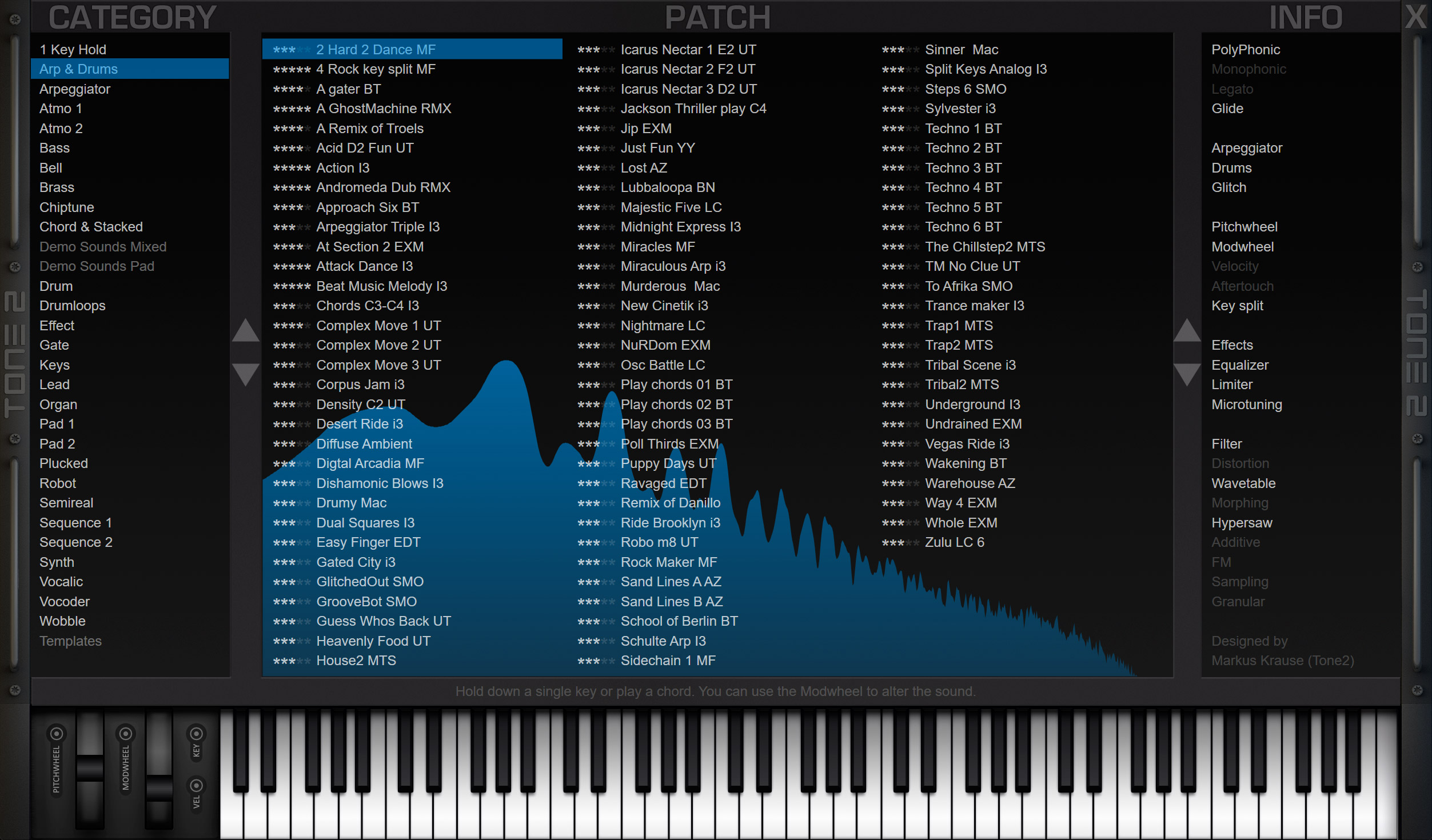
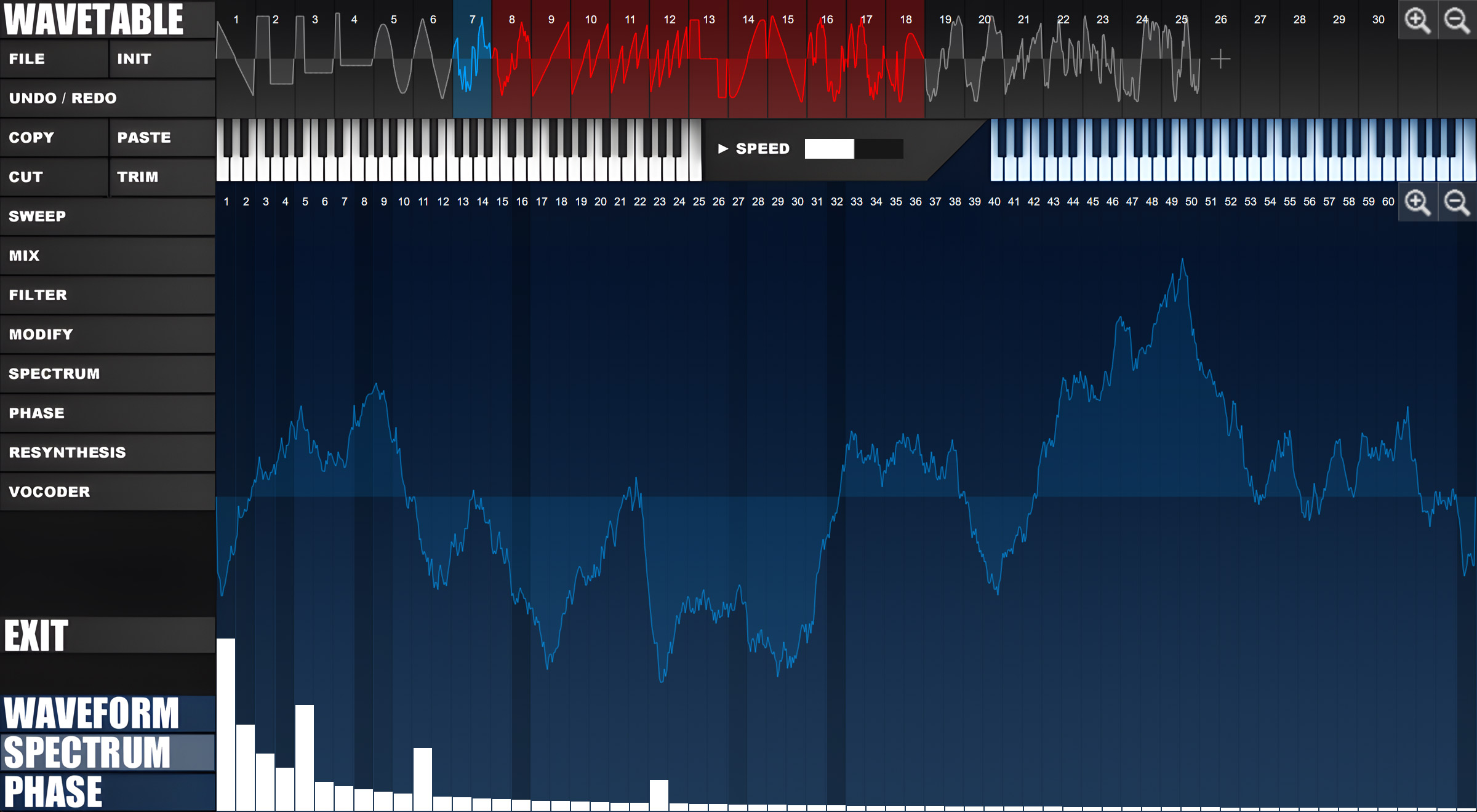
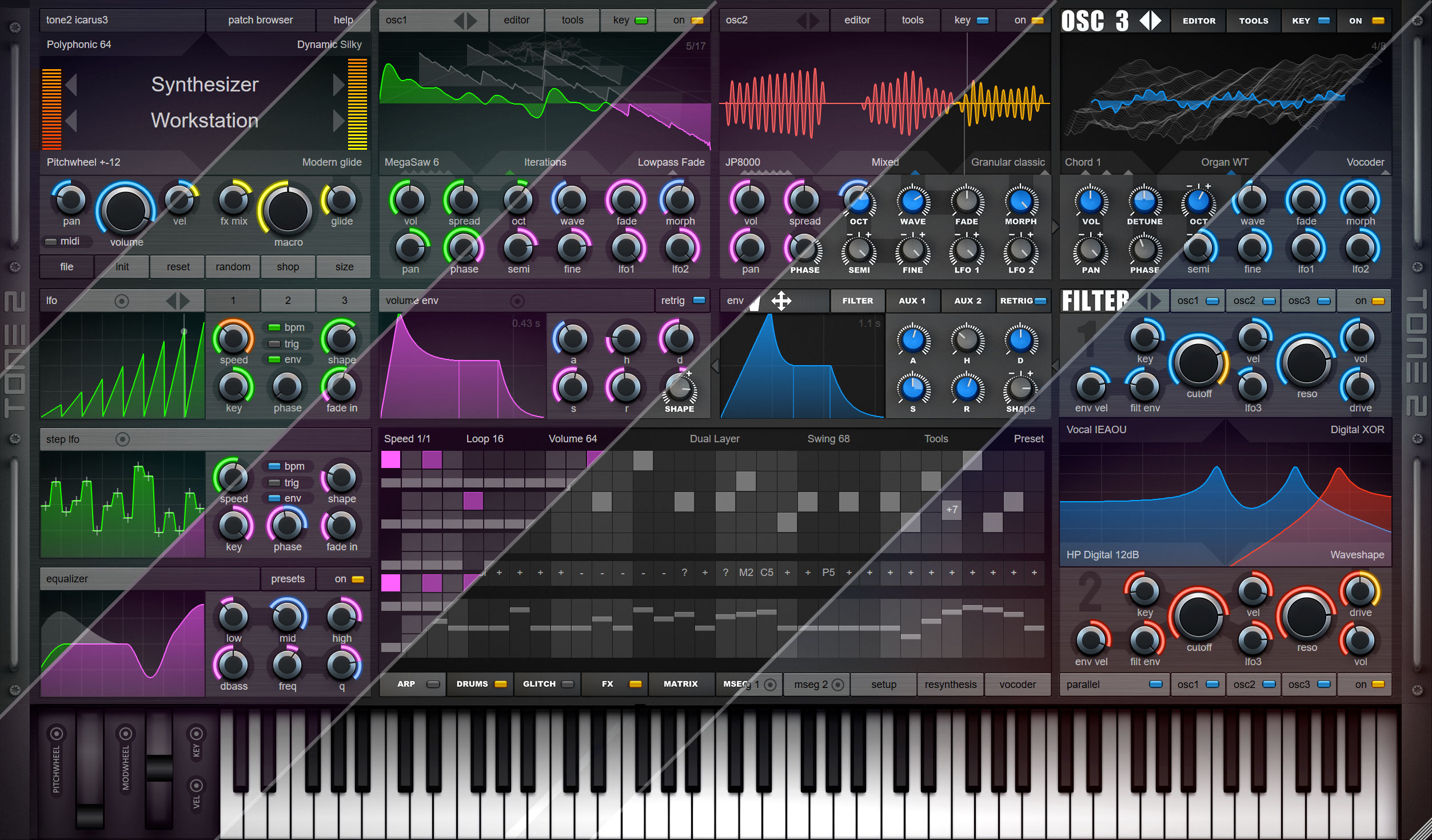
Icarus is one of the most powerful synthesizers available on the market. The award-winning audio-engine provides a gigantic sonic range, offers true high-end sound quality and creates sounds impossible with other synths. Icarus ships with over 2000 hand-picked patches from professional designers.
Product page:
https://www.tone2.com/icarus.html
Upgrade:
https://www.tone2.com/icarus-update.html
Free demo download:
https://www.tone2.com/download.html
Overview video:
https://www.youtube.com/watch?v=vg0TITwsWXU
Icarus3 synthesis:
https://www.youtube.com/watch?v=nts-_qYJlio
Icarus3 filters:
https://www.youtube.com/watch?v=oqyXpEBdGe8
Factory sounds:
https://www.youtube.com/watch?v=rrpOEpOpfSE
What's new in v3.2?
New filters:
- LP Ladder 6dB: This is a 6dB lowpass Ladder filter with self-oscillation. It sounds analog and uses 0-delay technology.
- LP Ladder 12dB: This is a 12 dB lowpass Ladder filter with self-oscillation. It sounds analog and uses 0-delay technology.
- BP Ladder: This is a bandpass Ladder filter with self-oscillation. It sounds analog and uses 0-delay technology.
- BP MS-20 12dB: A bandpas filter with self-oscillation. It sounds analog and uses 0-delay technology.
- HP Digital 24dB: This is very a precise digital highpass filter.
- HP MS-20 12dB: A highphass filter with self-oscillation. It sounds analog and uses 0-delay technology.
- Phaser 3x +: Analog 6-stage phaser with positive feedback.
- Phaser 5x +: Analog 10-stage phaser with positive feedback.
- Phaser 2x -: Analog 4-stage phaser with negative feedback.
- Phaser 4x -: Analog 8-stage phaser with negative feedback.
- Formant 1x: Analog formant filter with soft saturation.
- Formant 2x: Analog formant filter with two peaks and soft saturation.
- Formant 3x: Analog formant filter with three peaks and soft saturation.
- Formant 4x: Analog formant filter with four peaks and soft saturation.
New effects:
- Ring Modulation: You can find this new effect under the 'Frequency shifting' menu. It comes with a Damp control for a warmer sound.
- Amplitude Modulation: You can find this new effect under the 'Frequency shifting' menu. It has a more extreme sound than Ring Modulation. It works best for effects, percussive sounds and drums.
- Weaver Shifter: You can find this new effect under the 'Frequency shifting' menu. It works best for effects, percussive sounds and drums.
New additive synthesis modes:
- Add Disharm 4: Plays 4 oscillators with a disharmonic relationship. You can use the 'spread' knob to control the type and level of detuning.
- Add Disharm 8: Plays 8 oscillators with a disharmonic relationship. You can use the 'spread' knob to control the type and level of detuning.
- Add Disharm 16: Plays 16 oscillators with a disharmonic relationship. You can use the 'spread' knob to control the type and level of detuning.
- Add St Dish 4: Plays 4 stereo oscillators with a disharmonic relationship. You can use the 'spread' knob to control the type and level of detuning.
- Add St Dish 8: Plays 8 stereo oscillators with a disharmonic relationship. You can use the 'spread' knob to control the type and level of detuning.
- Add St Dish 16: Plays 16 stereo oscillators with a disharmonic relationship. You can use the 'spread' knob to control the type and level of detuning.
New features - GUI:
- An XY crosshair is shown when you click with your mouse inside the EQ display.
- An XY crosshair is shown when you click with your mouse inside the filter display.
- New "Metal opaque" skin for the user interface.
- It is now possible to record filter cutoff and resonace with the filter XY-pad.
New feature - XY-pad for the waveform display:
- The XY-pad controls are available when you click and move your mouse within the wavefrom display. They add a new dimention of dynamic expression as you can now manipulate 2 parameters at the same time.
- Context-sensitive help appears as soon as you move your mouse.
- In wavetable mode the X-axis is assigned to the to the morph parameter. The Y-axis is assigned to the wavetable position.
- In granular mode the X-axis is assigned to start position. The Y-axis is assigned to the grain size.
- In sample mode the X-axis is assigned to start position.
- If you play back a single waveform the X-axis is assigned to the to the morph parameter.
Enhanced sound quality:
- Significantly enhanced sound quality in 44 kHz. Reduced aliasing in resampling up to 24 dB.
- Drastically enhanced sound quality in 88 kHz samplerate. Reduced aliasing in resampling up to 40 dB.
- Crossfades in the wavetable engine have more clarity and crispiness.
- Significantly enhanced sound quality of the synthesis mode 'Harmonic Shift'. It is the new default mode for new patches.
- Enhanced sound of the Reverb Medium. It has better default parameters, a smoother rolloff, less phasing, more detail and more depth.
- Enhanced sound of the Reverb Swirl. It has better default parameters, a smoother rolloff, less phasing, more detail and more depth.
- Enhanced sound of the Reverb Infinite. It has a smoother rolloff, less phasing, more detail and more depth.
- Enhanced sound of the Reverb Plate. It has a smoother rolloff, less phasing, more detail and more depth.
- Enhanced sound of the Reverb Big. It has a smoother rolloff, less phasing, more detail and more depth.
- Enhanced sound of the Reverb Glass. It has a smoother rolloff, less phasing, more detail and more depth.
- Major chords soun better with the microtuning mode 'dynamic silky'.
- Slightly enhanced sound quality of the equalizer.
- More linear freuency response for filter 'LP MS-20 12dB' with high cutoffs.
- Slightly enhanced sound quality and stabiliy of the filters 'LP Digital 24dB', 'LP Digital 12dB', 'LP Elliptic', 'LP Octave', 'HP Digital 12dB', 'BP Digital 24dB', 'BP Digital 12dB', 'EQ Notch', 'EQ Peak Tight', 'EQ Peak Medium', 'EQ Peak Wide', 'EQ Shelf Tight', 'EQ Shelf Wide' and 'EQ Bandlimit'.
Further enhancements:
- Reworked the default skin.
- Reworked the skins "Metal Fire", "Metal Aqua", "Metal Monochorome", "Metal Pink", "Metal Yellow", "Metal Red".
- Better default parameters for the delay effects.
- More contrast for the tap selector buttons.
- Reworked EQ settigs and parameters of the init-patch. It sits better in the mix and has longer release times.
- Setup always selects full installation as a default.
- Updated the texts of some dialog boxes with warnings.
- Slightly enhanced colors and transparency values for the patch browser.
- The filters are switched to ON automatically if the 'filt env' or 'lfo3' knob is tweaked.
- Many further small enhancements.
#42
Icarus / Re: Icarus feature requests
Last post by Burkuagh - February 21, 2026, 10:24:29 PMI like to set up all my CC controllers for patches and sometimes just a few tweaks to a few knobs can make transformative changes but the only controller that can be saved in its current position is the Macro wheel. It would be very handy to have the ability to save "scenes" within patches that hold the specific CC values for 16, 17, 18, 74, in addition to the macro wheel. The only way I can currently do this is through my DAW which makes recalling the patch setup very difficult when switching projects.
#43
Icarus / Video: Icarus 3.2 - the bigges...
Last post by Markus Krause - February 20, 2026, 09:26:48 PMIcarus3 - the biggest filter collection ever!
Product page
Icarus3 has the most powerful filter section available on the market. Our flagship synthesizer offers 78 fascinating filter types.
It's a best-of selection of over 300 different filter algorithms. We developed these during the last 2 decades.
Many of these filter types are exclusive and unavailable from other companies, resulting in a wide range of unique sounds that cannot be produced by other synthesizers.
Unique filters:
Icarus comes with many exclusive filter types that are not available from any other company.
An animated display shows the frequency response and provides instant visual feedback. This makes tweaking sounds very easy.
You can click onto the display with the mouse. This lets you change the cutoff and the resonance at the same time.
Analog filters:
We spent two decades researching and reverse-engineering the filters of the most famous analog synthesizers.
We built highly accurate models featuring non-linearities and self-oscillation.
Icarus ships with an impressive selection of the finest analog filters ever.
Key tracking & self oscillation:
The filters in Icarus are perfectly tuned. They offer precise key tracking and self-oscillation.
All filters are musically useful and have truly different sonic characteristics.
Two modular filter blocks are available. Each features true stereo architecture, flexible routing, multi-mode filters and distortion.
Distortion:
Two stereo distortion sections are available per voice. each one offers 16 different modes.
There is also a global distortion section available in the effects section. This one offers 13 different modes.
Physical modeling filters:
We also inlcuded a variety of phsical modeing resonators. They allow you to simulate real instrumens.
Vocal and formant filters:
Creating vocalic sounds in Icarus is very easy. Just select one of the vocal filters.
Equalizer:
the equalizer with dynamic bass control and psychoacoustic processing gives your mix an extra boost. A real-time frequency response display makes it easy to tweak.
Timeline:
0:00 Icarus3 has the most powerful filter section available on the market
0:38 Unique filters
1:45 XY-control filter display
1:59 Analog Filters
3:13 Precise key-tracking & self-oscillation
3:33 Stereo architecture, dual multi-mode filters
3:49 Distortion
4:12 Physical modeling filters
5:05 Vocal and formant filters
5:33 Phaser filters
5:55 Comb filters
6:08 Lo-fi filters
6:22 Equalizer
#44
Announcements & Updates / Saurus 4.1 released
Last post by Markus Krause - February 04, 2026, 10:36:48 AMFinally, true analog sound does no longer require compromises! Saurus is an authentic emulation of analog synthesizers. It covers all aspects of the most famous and expensive synths, but without disadvantages.
Get Saurus4 now for only $69!
https://www.tone2.com/saurus.html
Free upgrade and free demo download:
https://www.tone2.com/download.html
Video:
https://www.youtube.com/watch?v=ZKzETLRM2x0
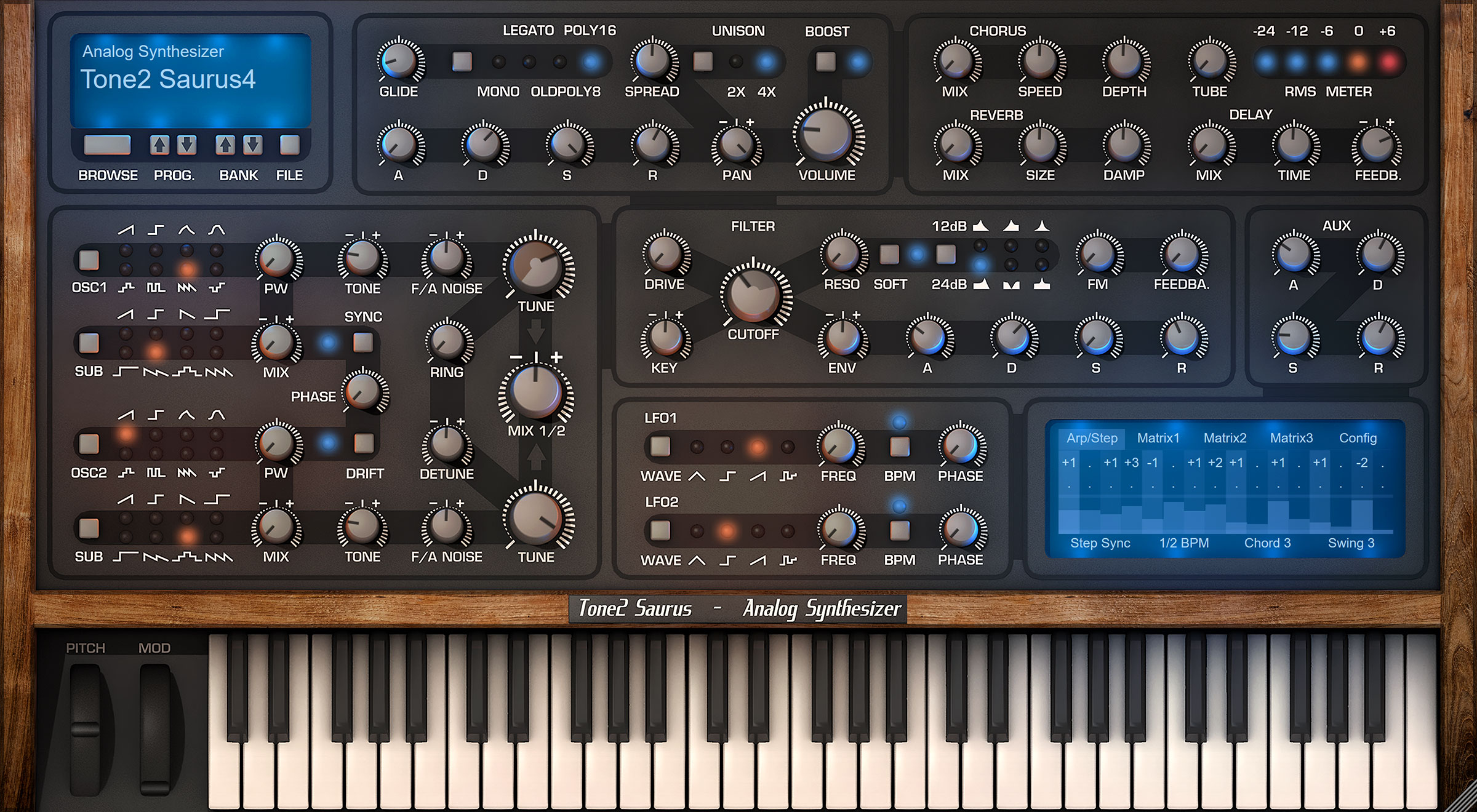
What's new in Saurus 4.1?
The update is available for PC and Mac. It is free for anyone who owns Saurus.
Enhanced sound quality:
New features:
Further enhancements:
Downward compatibility:
Get Saurus4 now for only $69!
https://www.tone2.com/saurus.html
Free upgrade and free demo download:
https://www.tone2.com/download.html
Video:
https://www.youtube.com/watch?v=ZKzETLRM2x0
What's new in Saurus 4.1?
The update is available for PC and Mac. It is free for anyone who owns Saurus.
Enhanced sound quality:
- Significantly enhanced sound quality in 44 kHz. Reduced aliasing up to 12 dB.
- Drastically enhanced sound quality in 88 kHz samplerate. Reduced aliasing up to 20 dB.
- Enhanced sound of the reverb. It has a smoother rolloff, less phasing, more detail and more depth.
- Slightly enhanced sound of the chorus. It has more precise interpolation.
- Slightly enhanced sound of the delay. It has more precise interpolation.
New features:
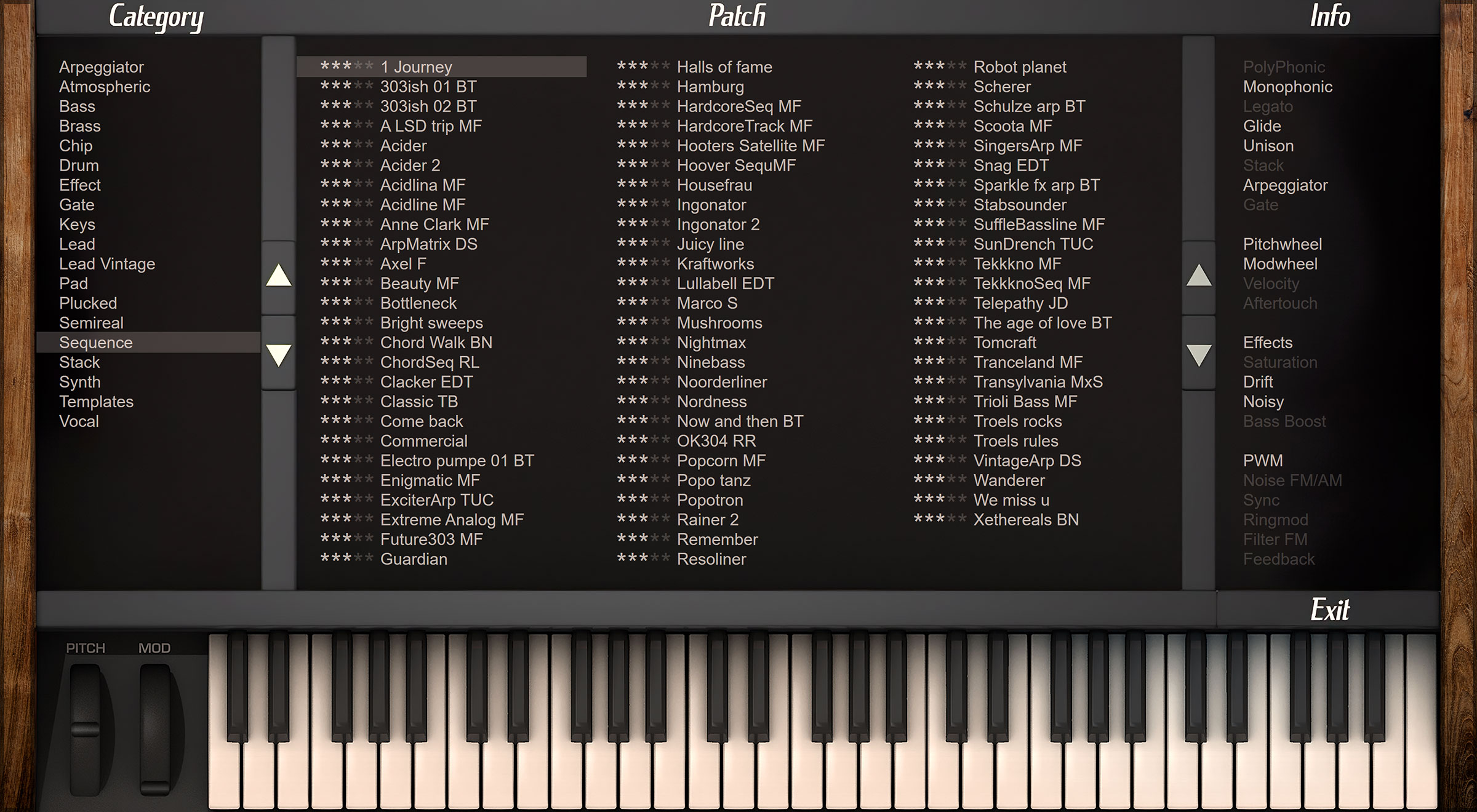
- It is more easy to see soundsets in the patch browser. They have blue color.
- Template patches have grey color in the patch browser.
- VST3-only installation has been added to the setup on PC.
Further enhancements:
- Enhanced look of the patch browser's scrollbar handle.
- More smart detection of the default installation path.
- Setup always selects full installation as a default.
- Better default values for the init patches.
- Many small improvements.
Downward compatibility:
- Saurus 4.1 is downward compatible with all previous versions. All existing song projects and patches can be loaded without any further steps necessary. They will benefit from the enhanced sound-quality.
#45
Saurus / Saurus 4.1
Last post by Markus Krause - February 04, 2026, 10:33:36 AMFinally, true analog sound does no longer require compromises! Saurus is an authentic emulation of analog synthesizers. It covers all aspects of the most famous and expensive synths, but without disadvantages.
Get Saurus4 now for only $69!
https://www.tone2.com/saurus.html
Free upgrade and free demo download:
https://www.tone2.com/download.html
Video:
https://www.youtube.com/watch?v=ZKzETLRM2x0
What's new in Saurus 4.1?
The update is available for PC and Mac. It is free for anyone who owns Saurus.
Enhanced sound quality:
New features:
Further enhancements:
Downward compatibility:
Get Saurus4 now for only $69!
https://www.tone2.com/saurus.html
Free upgrade and free demo download:
https://www.tone2.com/download.html
Video:
https://www.youtube.com/watch?v=ZKzETLRM2x0
What's new in Saurus 4.1?
The update is available for PC and Mac. It is free for anyone who owns Saurus.
Enhanced sound quality:
- Significantly enhanced sound quality in 44 kHz. Reduced aliasing up to 12 dB.
- Drastically enhanced sound quality in 88 kHz samplerate. Reduced aliasing up to 20 dB.
- Enhanced sound of the reverb. It has a smoother rolloff, less phasing, more detail and more depth.
- Slightly enhanced sound of the chorus. It has more precise interpolation.
- Slightly enhanced sound of the delay. It has more precise interpolation.
New features:
- It is more easy to see soundsets in the patch browser. They have blue color.
- Template patches have grey color in the patch browser.
- VST3-only installation has been added to the setup on PC.
Further enhancements:
- Enhanced look of the patch browser's scrollbar handle.
- More smart detection of the default installation path.
- Setup always selects full installation as a default.
- Better default values for the init patches.
- Many small improvements.
Downward compatibility:
- Saurus 4.1 is downward compatible with all previous versions. All existing song projects and patches can be loaded without any further steps necessary. They will benefit from the enhanced sound-quality.
#46
Icarus / Re: Migrating vom PC to Mac
Last post by Luis - January 26, 2026, 07:04:14 PMQuote from: Markus Krause on December 14, 2025, 09:07:40 AMPC and Mac are different platforms and got a completely different architecture.
Migrating a song to a another computer with a different architecture is very risky as there are many things that can go wrong.
What can cause issues?
- A plugin is missing and not installed
- A plugin is not available on one platform (e.g. there is no Mac version)
- A plugin is not available on the new platform in the right CPU architecture (e.g. no M1 native version exists)
- The plugins have different version numbers
- A plugin is not available as a format on a platform (e.g. AudioUnits)
- The DAW uses different file formats on the platforms
- The plugins have a different plugin-ID and the DAW can't handle it
- The DAW dropped support for a format on a platform (e.g. Cubase on M1)
What can you do as a workaround?
- Finish the song on your old platform
- Dump the affected audio track before you migrate
- Try another plugin format (e.g. VST2)
- Save the patch and midi data of the affected track separately and then load it on the new platform manually
- Use a different DAW
Thanks Markus for the suggestions.
#47
Icarus / Re: Icarus 3 - shared resource...
Last post by Markus Krause - January 26, 2026, 10:06:39 AMHello Rob,
Please do not send duplicate support requests to us as this creates confusion and additional workload.
There should be no data doubled unless you accidently did multiple installations to different directories or you manually moved around data on your harddisc(s).
If this is the case you can fix it this way:
1) Uninstall Icarus
2) Delete all remaining Icarus_data, Icarus_sounds and Icarus_wavetables directories
3) Install Icarus.
Technical details:
All plugin versions (VST/VST3/AudiUnit) share the Icarus_data directory, the Icarus_wavetables and the Icarus_sounds directory. This saves up to 66% hardisc space. These directories are created within your installation path.
Further there are also graphics an DSP code shared. IcarusX64.dll contains all images for the graphics and most of the DSP code. This saves further 35 MB of discscpace on PC and 70 MB of discspace on the Mac.
A further advantage is that mainteance and testing for bugs is more easy.
Best Regards,
Markus
Please do not send duplicate support requests to us as this creates confusion and additional workload.
There should be no data doubled unless you accidently did multiple installations to different directories or you manually moved around data on your harddisc(s).
If this is the case you can fix it this way:
1) Uninstall Icarus
2) Delete all remaining Icarus_data, Icarus_sounds and Icarus_wavetables directories
3) Install Icarus.
Technical details:
All plugin versions (VST/VST3/AudiUnit) share the Icarus_data directory, the Icarus_wavetables and the Icarus_sounds directory. This saves up to 66% hardisc space. These directories are created within your installation path.
Further there are also graphics an DSP code shared. IcarusX64.dll contains all images for the graphics and most of the DSP code. This saves further 35 MB of discscpace on PC and 70 MB of discspace on the Mac.
A further advantage is that mainteance and testing for bugs is more easy.
Best Regards,
Markus
#48
Icarus / Re: Icarus feature requests
Last post by Examigan - January 25, 2026, 04:48:58 PMI'd like a way to skim through the different drum presets while my track is playing, maybe the left and right arrow keys on my PC keyboard? I like the large menu that opens, but sometimes I'd just like a quick way to get through them without that opening up on the screen.
#49
Icarus / Icarus 3 - shared resources?
Last post by Examigan - January 24, 2026, 02:52:49 PMI also sent email to your support about this, but then I thought I could just mention it here.
The way I understand it, there are shared resources between the VST2 and VST3.
I checked the secondary drive - D: that I have on my PC, and the VST2 shows there with the data files, etc.
I looked at the C drive where stuff ends up for VST3, and it seems to be the same file size there. So the data is doubled.
That may be because I installed the VST3 later on, after I installed using the minimal only-VST2 option?
Maybe it would be better if when you install it the way I did (one at first, and then the other later), that it would check the paths to see if it's already there on either drive (if it really is supposed to share resources).
Or maybe that's how it is even when you choose the option to install both at once? VST2 and VST3.
But then, that's not sharing resources as I understand it at least; since it's doubling up that data size.
What's weird is under my list of apps, it shows only the amount of data for one install of Icarus 3 (0.99GB).
I thought it might show twice the amount of the file size, since it's in two places at the same time.
Thanks for any help!
Cheers,
Rob
The way I understand it, there are shared resources between the VST2 and VST3.
I checked the secondary drive - D: that I have on my PC, and the VST2 shows there with the data files, etc.
I looked at the C drive where stuff ends up for VST3, and it seems to be the same file size there. So the data is doubled.
That may be because I installed the VST3 later on, after I installed using the minimal only-VST2 option?
Maybe it would be better if when you install it the way I did (one at first, and then the other later), that it would check the paths to see if it's already there on either drive (if it really is supposed to share resources).
Or maybe that's how it is even when you choose the option to install both at once? VST2 and VST3.
But then, that's not sharing resources as I understand it at least; since it's doubling up that data size.
What's weird is under my list of apps, it shows only the amount of data for one install of Icarus 3 (0.99GB).
I thought it might show twice the amount of the file size, since it's in two places at the same time.
Thanks for any help!
Cheers,
Rob
#50
Gladiator / Re: Funny thing happened on th...
Last post by Dumtek - January 20, 2026, 11:02:12 AM" ...Or it helps to confuse sound designers ;-) "  HAHA
HAHA
Tone 2 synths and Waldorf Largo all over my stuff. All I use primarily, sound effects and drum sounds included.
https://soundcloud.com/papadumtek
HAHATone 2 synths and Waldorf Largo all over my stuff. All I use primarily, sound effects and drum sounds included.
https://soundcloud.com/papadumtek